
Who Can Access This?
Board Members automatically are granted access to the following administrative functions of Community Hub. For other users who may need administrative access, please log in to Community Hub, and click on the Toolbox in the top menu bar, then choose Forms, then Administrator Permission Request Form. Only Board Members are able to view and complete this form. If you are in a community without a board member, please email support@hrccommunityhub.zendesk.com to request administrative permissions.
Review your Steering Committee Roster
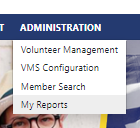
- Navigate to Administration -> My Reports
- Choose the Steering Committee Roster report
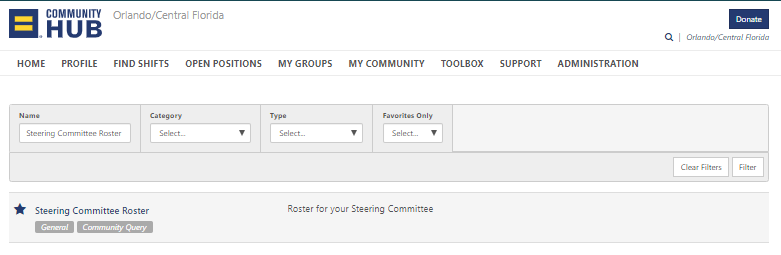
- Click Run
- Click Download
Once you have downloaded the report, review it for accuracy. If anyone is listed with an incorrect Steering Committee Role (Position) you can add or remove them from their profile.
Adding Steering Committee Positions
Where to go:
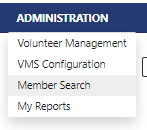
- Enter the Administrative Area
- Navigate to the Member Search
Steps to be taken:
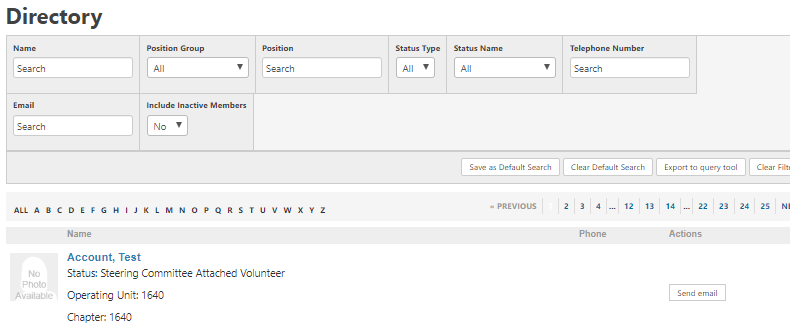
- Search for the member, then click on the member's name.
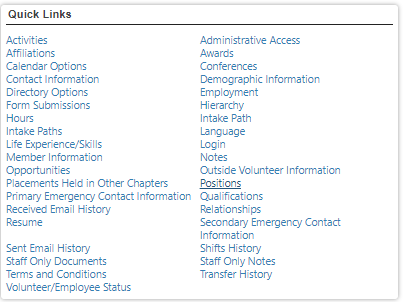
- Navigate over to the Quick Links section and click on "Positions".
- Now Click on "Add New Position".

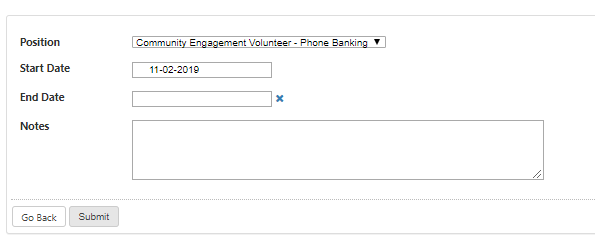
- Select the position from the dropdown menu. Then enter in the start and end dates. Next you can add notes for reference. Then click Submit and you're done!
Removing Steering Committee Positions
- Search for the member, then click on the member's name.
- Navigate over to the Quick Links section and click on "Positions".
- Click the Edit icon next to the position you want to remove
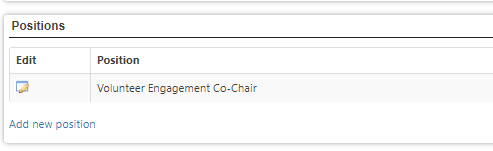
- Add an End Date and click Submit
Comments
0 comments
Please sign in to leave a comment.