
Emailing Group Members
Administrators and Program Co-Chairs can readily email a single group member, all group members, or designated group members from a group site. You can optionally start a discussion thread when you send email through the Administrative Actions area of a group site. When you send email through the system, it is automatically directed to the email address listed on the recipient’s volunteer profile.
Steps:
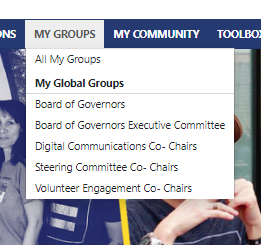
- Locate the desired group site. You will see the groups associated with any program committee you hold a Co-Chair or Board Liaison position for.
- Email a single group member using the Letter button next their name

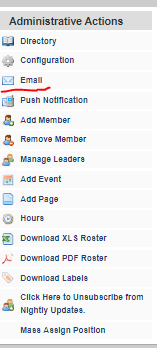
OR - Email the entire group or a designated subset from the Administrative Actions tab
Comments
0 comments
Please sign in to leave a comment.