
Where to go:
- Enter the Administrative Area
- Navigate to Volunteer Management
Steps to send a mass email from the Email area:
- Enter the Administrative Area
- Navigate to the Volunteer Management area
- Click Email
4. From here, select which group of users you'd like to send an email to either from the GroupShare dropdown, the Access Group dropdown, or the Individual Recipients dropdown. You may select more than one by clicking into the dropdown again and making another selection. Typically, you will use the Access Group.
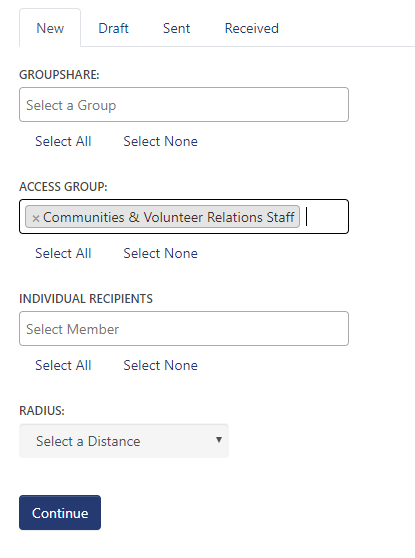
5. Click Continue
6. Choose from the list of names which users you would like to email by checking the box next to their name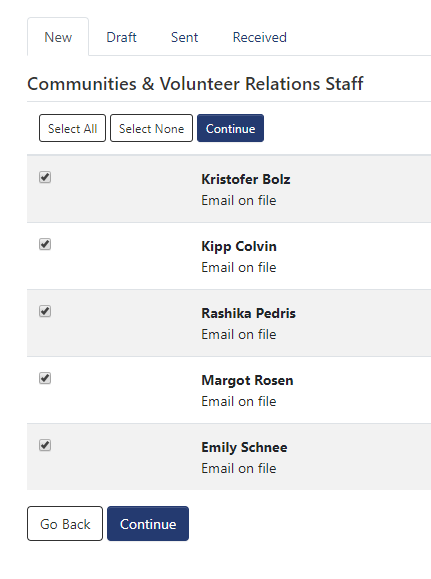
7. Click Continue
8. Write the email you'd like to send
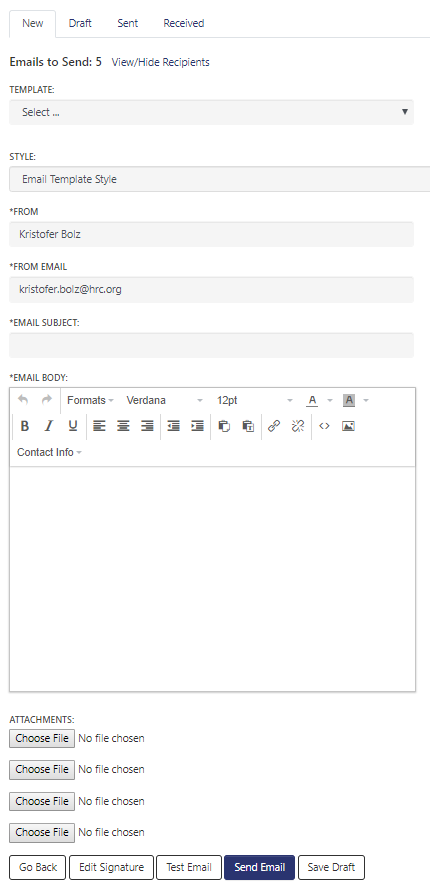
9. Click Send Email
Comments
0 comments
Please sign in to leave a comment.